
What Is a Linter? How Linting Improves Code Quality

Ever had that moment where you wish someone was looking over your shoulder, catching little typos and mistakes before they become big problems? That’s pretty much what a linter does for your code. Think of it as an automated, eagle-eyed teammate who checks your work in real-time.
A linter is a tool that automatically scans your source code to flag programming errors, bugs, stylistic inconsistencies, and suspicious patterns. It’s your first line of defense for keeping your codebase clean and healthy.

When you’re working on a team, a linter is indispensable. It ensures everyone is writing code that looks and feels the same, which makes collaboration a whole lot smoother. It’s like having an automated peer reviewer that never sleeps, meticulously checking every line against a shared set of rules.
The idea is simple. You know how a word processor underlines spelling mistakes in red? A linter does the same for your code, but for things like syntax errors, unused variables, or formatting that doesn’t match the team’s style guide. This instant feedback helps you build better habits and stop small slip-ups from turning into late-night debugging sessions.
Linter at a Glance: Key Concepts
To get a clear picture, here’s a quick breakdown of what a linter is all about.
| Concept | Description |
|---|---|
| Static Analysis | Linters analyze your code without actually running it. This “static” check catches issues early in the development cycle. |
| Rule Sets | Every linter operates based on a configurable set of rules, like “no unused variables” or “enforce consistent indentation.” |
| Code Consistency | By enforcing a shared style guide, linters ensure the entire codebase is uniform, making it easier to read and maintain. |
| Bug Prevention | Linters can spot common patterns that often lead to bugs, like potential null pointer exceptions or infinite loops. |
These core functions work together to automate the tedious parts of code review, freeing up developers to focus on the bigger picture.
Linter vs. Compiler: What’s the Difference?
It’s easy to mix up linters and compilers, but they play fundamentally different roles.
A compiler has one job: translating your human-readable code into machine code that a computer can execute. As long as your code is syntactically valid, the compiler will do its thing. It doesn’t care if your code is a masterpiece of clarity or a tangled mess, as long as it works.
A linter, on the other hand, is all about the quality of your code. It goes a step beyond syntax to look at style, readability, and potential pitfalls.
A compiler asks, “Can the computer run this?” A linter asks, “Should a human have to read this?”
For instance, a compiler won’t bat an eye at inconsistent indentation or a variable you declared but never used. A linter will flag both immediately. It helps answer the questions that compilers can’t:
- Does this code follow our team’s established style guide?
- Is it easy for the next developer to understand?
- Are there any “code smells” that might cause trouble down the road?
By catching these issues, linters make the entire codebase more predictable and easier to work with. They automate the nitpicky parts of code review so your team can spend its brainpower on solving real problems.
The Surprising History of Code Linting
To really get why linters are so essential today, we have to rewind the clock a bit. The story doesn’t start in a modern tech office but way back in 1978 at Bell Labs, the same legendary place that gave us the transistor, the laser, and the Unix operating system. It was here that a simple, brilliant idea set the stage for all modern static code analysis.
The whole thing started out of sheer necessity. A computer scientist at Bell Labs, Stephen C. Johnson, was deep in the trenches, trying to port the Unix operating system to a new 32-bit machine. As he worked, he kept running into pesky, subtle bugs in the C code that the compiler just sailed right past. Back then, compilers were great at making sure code could run, but they couldn’t care less about its quality or hidden traps.
From Unwanted Fluff to Cleaner Code
Tired of chasing these sneaky errors, Johnson decided to build a separate program to scan the code before it even hit the compiler. He designed it to sniff out all the non-obvious issues—things like variables that were declared but never actually used, or functions that would break on a different system. The code was technically valid, but it was practically a minefield.
He had the perfect name for his creation: lint, after the tiny, unwanted bits of fluff that cling to wool clothing. It was a spot-on analogy. His tool was built to pick off the “fluff” in the code, all the small imperfections that, while not fatal, made the software fragile and a pain to maintain.
The core idea was to catch errors that a compiler would legally but silently ignore. Lint was the first tool to treat code not just as instructions for a machine, but as a text that humans needed to read, understand, and trust.
The Birth of Static Analysis
What Johnson created, lint, did more than just solve his immediate headache. By 1979, it was officially released to the world as part of Unix Version 7, giving developers everywhere their first taste of static code analysis. You can read more about its origins on the Wikipedia page for Lint (software)).
That small utility from Bell Labs grew into a practice we can’t imagine coding without. The spirit of Johnson’s original lint program is alive and well in every modern linter we use today, whether it’s ESLint for JavaScript or Pylint for Python. Now, these tools are built right into our editors and CI/CD pipelines, automatically picking off the code fluff and helping us build software on a solid foundation of quality.
How a Linter Actually Works Under the Hood
To really get what a linter is, you have to look past the surface and see the surprisingly elegant process happening in the background. It isn’t magic; it’s a simple, three-step operation that turns your raw code into helpful feedback.
This entire workflow is a form of static code analysis, which is just a fancy way of saying your code gets checked without ever being run. If you’re curious about that, we have a whole guide on what is static code analysis.
The linter’s journey starts the second you hit save or even as you’re typing.
Step 1: Parsing the Code into a Blueprint
First up, the linter hands your code off to something called a parser. The parser doesn’t care what your code does; it only cares about its structure. It reads everything line-by-line and converts your text into a tree-like data structure called an Abstract Syntax Tree (AST).
Think of the AST as a detailed architectural blueprint of your code. Every variable, function, and loop becomes a “node” on this tree, all connected in a way that maps out the code’s logic. It’s a lot easier for a program to understand this structured map than a plain wall of text.
The diagram below shows how this simple idea, born way back in 1978, grew into a cornerstone of modern software development.
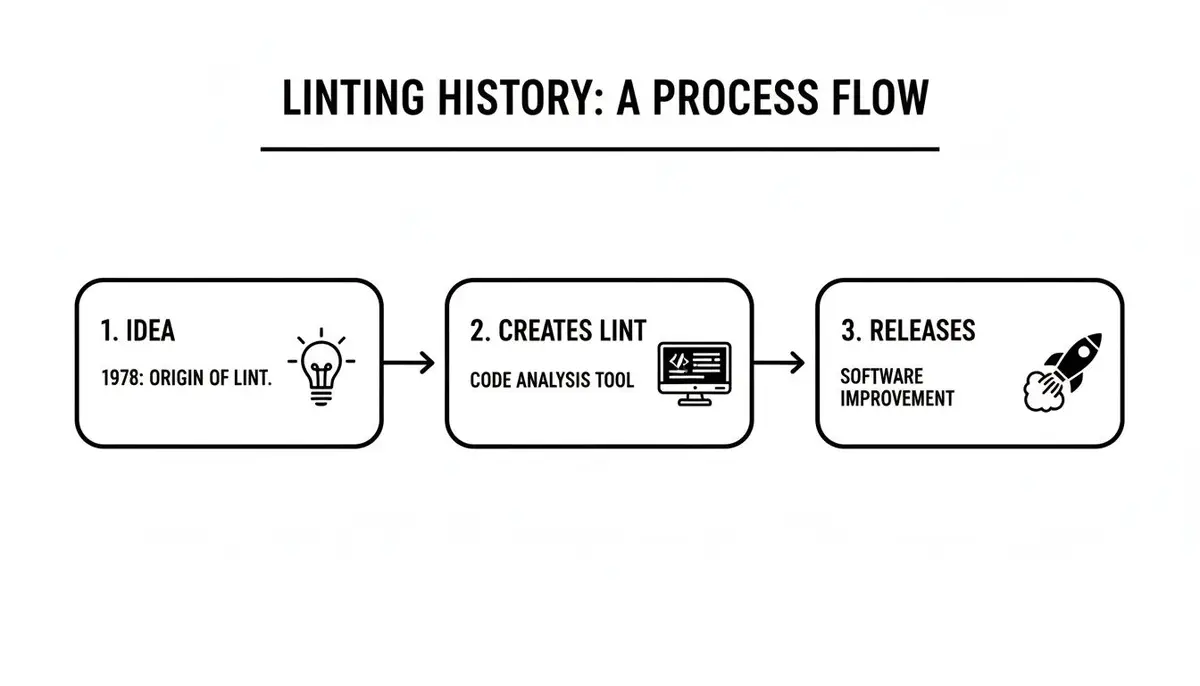
This just goes to show that linting has always been about one thing: improving code quality before it ever runs. That principle hasn’t changed a bit.
Step 2: Walking the Blueprint
With the AST blueprint in hand, the linter starts to “walk” or traverse it. It moves through the tree node by node, visiting every single piece of your code, from the top-level file down to the tiniest expression. This walk is what lets the linter examine each part of your code in its proper context.
As it hops from node to node, it’s basically calling out what it sees. “Okay, I’m entering a function now.” “Here’s a variable assignment.” “Now I’m inside an if statement.”
Step 3: Checking the Rules and Fixing the Issues
This is where the real work happens. While the linter walks the AST, it checks every node against the rules you’ve given it.
A linter’s rule set is basically a checklist. At every stop on its walk, it asks questions: “Is this variable ever used?” “Does this bracket have a matching one?” “Is the indentation off here?”
When a node breaks a rule, the linter flags it. It logs the specific rule that was violated, the exact line and column number, and a helpful error message. All these little flags get bundled up and presented to you as a report—those familiar squiggly underlines and warnings right in your editor.
But modern linters don’t stop there. Many now come with autofixing. For common stylistic slip-ups (like wrong spacing or a missing semicolon), the linter doesn’t just point out the problem; it knows exactly how to fix it. A single command can clean up the code for you, saving developers countless hours of mind-numbing, manual corrections.
Popular Linters Across Different Programming Languages
Linting isn’t a single, one-size-fits-all tool. It’s a whole ecosystem, with specialized checkers built for the unique quirks of each programming language. The best way to understand what a linter is and what it does is to look at the tools developers actually use every day.
Each linter is a specialist, finely tuned to catch common mistakes and enforce best practices in its own domain. After all, the kind of “code fluff” you find in JavaScript is completely different from what you’d see in Python or CSS. A great linter for one language would be pretty useless for another.
Let’s dive into some of the most popular examples and see how they work in different tech stacks.
ESLint for JavaScript and TypeScript
In the world of JavaScript, one name towers above the rest: ESLint. It’s the undisputed champion for static analysis in JavaScript and, by extension, TypeScript. Its real power comes from its incredible flexibility—you can configure it to do almost anything, thanks to a massive ecosystem of plugins and shareable configs.
Nicholas C. Zakas created ESLint back in June 2013 to bring some much-needed order to JavaScript’s dynamic nature, where you often don’t find errors until the code is already running. Today, it’s used in over 70% of JavaScript projects on GitHub and gets more than 25 million weekly downloads on npm. At its core, ESLint’s verify() method parses code into an Abstract Syntax Tree (AST) and checks it against more than 500 rules, flagging issues with exact line and column numbers. If you want to go deeper, this article on how ESLint works at dev.to is a great read.
The official website is packed with documentation and even has a playground to test out rules. The big takeaway is its focus on both finding and fixing problems, which is what makes it so essential for keeping large applications from becoming a mess.
Pylint and Flake8 for Python
Python developers are lucky to have a few excellent options, but the two you’ll hear about most are Pylint and Flake8. They both aim to improve code quality, but they get there in slightly different ways.
- Pylint: Think of Pylint as the incredibly thorough, slightly opinionated expert. It does a deep dive into your code, checking everything from style violations and error-prone patterns to even suggesting refactors. It even gives your code a score, which is a great way to nudge everyone toward continuous improvement.
- Flake8: This tool is more of a super-efficient combination of three other tools: PyFlakes (for errors), pycodestyle (for PEP 8 style), and McCabe (for complexity). It’s known for being fast and direct, making it perfect for getting quick feedback while you’re coding.
Many teams actually use both. They’ll run Flake8 for its speed during local development and then rely on Pylint for a more exhaustive check as part of their CI/CD pipeline.
Stylelint for CSS and SCSS
Styling languages have their own unique set of rules and potential traps. For that, Stylelint is the go-to linter for CSS, SCSS, and other CSS-like syntaxes. It’s all about helping teams enforce consistent conventions and sidestep common errors in their stylesheets.
Stylelint is smart enough to understand modern CSS syntax, including things like custom properties and nesting. It prevents those subtle but frustrating mistakes, like using an invalid hex code or declaring conflicting properties, that can make your UI unpredictable.
Why Linters Are a Smart Business Decision
Thinking about a linter purely as a tool for tidying up code misses the bigger picture. From a business perspective, adopting a linter is a strategic move that pays real dividends in risk management, team productivity, and the long-term health of your projects. It’s one of the smartest investments you can make in your engineering process.
Let’s be clear: a linter is your first line of defense against bugs, catching them at the cheapest possible moment—right inside the developer’s editor. This immediate feedback is a game-changer. When you bake automated linting into your workflow early on, you can cut production bugs by a staggering 50-70%. It flags everything from simple syntax errors and unused variables to potential security holes before that code even gets a sniff of your CI/CD pipeline.
Considering that 85% of breaches can be traced back to flaws in code, this isn’t just a “nice-to-have.” It’s a fundamental tool for protecting your business and your reputation. For more on this, you can find some great insights into linting’s impact on code security on xcitium.com.
Lowering Technical Debt
Every engineering leader knows the pain of technical debt—that creeping cost of rework that slows everything down. Linters are a powerful weapon against it.
By enforcing a consistent set of rules across the entire codebase, they get everyone, from your newest hire to your most seasoned architect, on the same page. This prevents the gradual decay of quality that makes code a nightmare to read, maintain, and build upon. The result? A more resilient codebase that doesn’t crumble when you need to add a new feature. Teams that get this right see a major drop in those hard-to-pinpoint issues known as code smells.
Accelerating Team Velocity
For managers and CTOs, the boost to team velocity is where the value of a linter really shines. A well-configured linter is like an instant mentor for new developers.
Instead of bombarding senior engineers with questions about formatting or basic conventions, new hires learn the team’s standards directly from their editor. This dramatically cuts down onboarding time and gets them shipping valuable code much, much faster.
This also frees up your senior developers from the drudgery of nitpicking in code reviews. When a pull request comes in, the conversation can skip right past “you missed a semicolon” and go straight to the important stuff: “Is this the right way to solve the problem?” This simple shift makes the entire development cycle more efficient and focused on what truly matters.
Integrating Linters Into Your AI-Assisted Workflow
AI coding assistants have completely changed the game, but they’ve also introduced a new problem: how do you make sure the code an AI spits out actually meets your team’s quality standards? This is where your linter becomes more important than ever. It’s the essential quality gatekeeper in any modern, AI-heavy workflow.

When you integrate a linter directly into your editor, like VS Code or Cursor, you get instant feedback. This isn’t just for your own code, but for every single suggestion from tools like GitHub Copilot. If an AI suggests a block of code with bad formatting or a deprecated function, your linter flags it on the spot—long before it gets committed.
This immediate feedback loop ensures that even AI-generated code sticks to your team’s established rules, keeping the entire project consistent and readable.
The Linter as an AI Quality Gate
Think of your linter as a bouncer for your codebase. It’s brutally impartial. It doesn’t care if the code was written by a senior dev, a junior engineer, or an AI. It only cares if the code follows the rules. This is exactly what makes it the perfect tool for an AI-powered development environment.
From a business perspective, using linters is a no-brainer. They enforce standards and catch potential issues early, which is a cornerstone of building robust and ethical AI systems. This is especially critical for programmatic approaches to managing enterprise-wide AI governance, risk, and compliance.
In an AI-assisted workflow, the linter’s role expands. It’s no longer just a tool for style enforcement; it’s a foundational layer for ensuring the reliability and maintainability of code produced in collaboration with artificial intelligence.
This setup prevents sneaky “code smells” or anti-patterns from creeping in, which can easily happen when you’re moving fast with AI suggestions. You can see how this benefits the whole development cycle by checking out best practices for automatic code review.
Refining AI Prompts with Linter Feedback
Beyond just checking the AI’s work, linter feedback can actually help you get better at using your AI assistant in the first place. You’ll start to notice patterns in the kinds of errors or warnings that keep popping up in the AI-generated code.
For instance, are you constantly seeing warnings about unused variables or functions that are too complex? That’s a signal. It’s telling you that your prompts might be too vague or are missing key context. By paying attention to these recurring linter issues, you can learn to write more specific prompts that guide the AI toward generating cleaner, more compliant code on the first try.
This transforms your linter from a reactive cleanup tool into a proactive learning mechanism. You’re not just fixing code anymore; you’re teaching yourself how to become a better collaborator with your AI partner, saving a ton of time and effort down the road.
Common Linter Questions Answered
If you’re new to linting, you probably have a few questions about how it all works in practice. Let’s clear up some of the most common ones.
Can a Linter Replace Code Reviews?
Nope, but it makes them way better. A linter is like a robotic assistant that handles all the easy, repetitive checks first. It flags style inconsistencies, simple mistakes, and anything that breaks your team’s established rules.
This means your human reviewers can stop wasting mental energy on things like comma placement or variable naming. Instead, they can focus on what really matters in a code review:
- Big-picture architecture: Does this new feature fit logically into the existing system?
- Business logic: Is the code actually solving the right problem for the user?
- Strategic approach: Is this the best way to build this? Is it scalable and maintainable?
By letting the linter handle the small stuff, your team can have more meaningful, high-level discussions.
How Do I Choose the Right Linter Rules?
Don’t start from scratch. The best way to get going is to adopt a popular, community-vetted style guide and then tweak it to fit your team. Good starting points are the presets from companies like Airbnb or Google.
It’s much easier to start with a strict, established rule set and relax a few rules that don’t work for you than it is to build a solid configuration from the ground up.
Live with that baseline for a bit. Then, get the team together to talk about which rules feel too restrictive or just aren’t adding value. Over time, you’ll dial in a configuration that perfectly suits your team’s workflow and coding philosophy.
Do Linters Slow Down My Editor?
Not really. Modern linters are incredibly fast and optimized to run in the background without getting in your way. They’re designed to analyze your code as you type or when you hit save, giving you feedback almost instantly.
Any tiny performance hit is a small price to pay for the massive amount of time you save. Catching a typo the second you make it is a whole lot faster than finding it during a test run—or worse, after it’s already in production. That immediate feedback loop is one of the biggest productivity boosts you can get.