For OpenAI Codex vs GitHub Copilot, pick Codex for a coding agent included with ChatGPT plans, in a CLI, an IDE extension, a desktop app and cloud tasks; pick Copilot for completions, chat and agents in your editors. They overlap: Copilot's paid plans can run Codex as an agent on GitHub.
Zest reads each engineer's Codex and GitHub Copilot Chat sessions (model, tokens, skills and MCP tools), joins them to the pull requests they led to, and shows both side by side. One workspace price: 5 engineers pay $49/mo on Pro.
Free for 3 seats · No credit card · or run npx @winding-labs/zest
Sample data
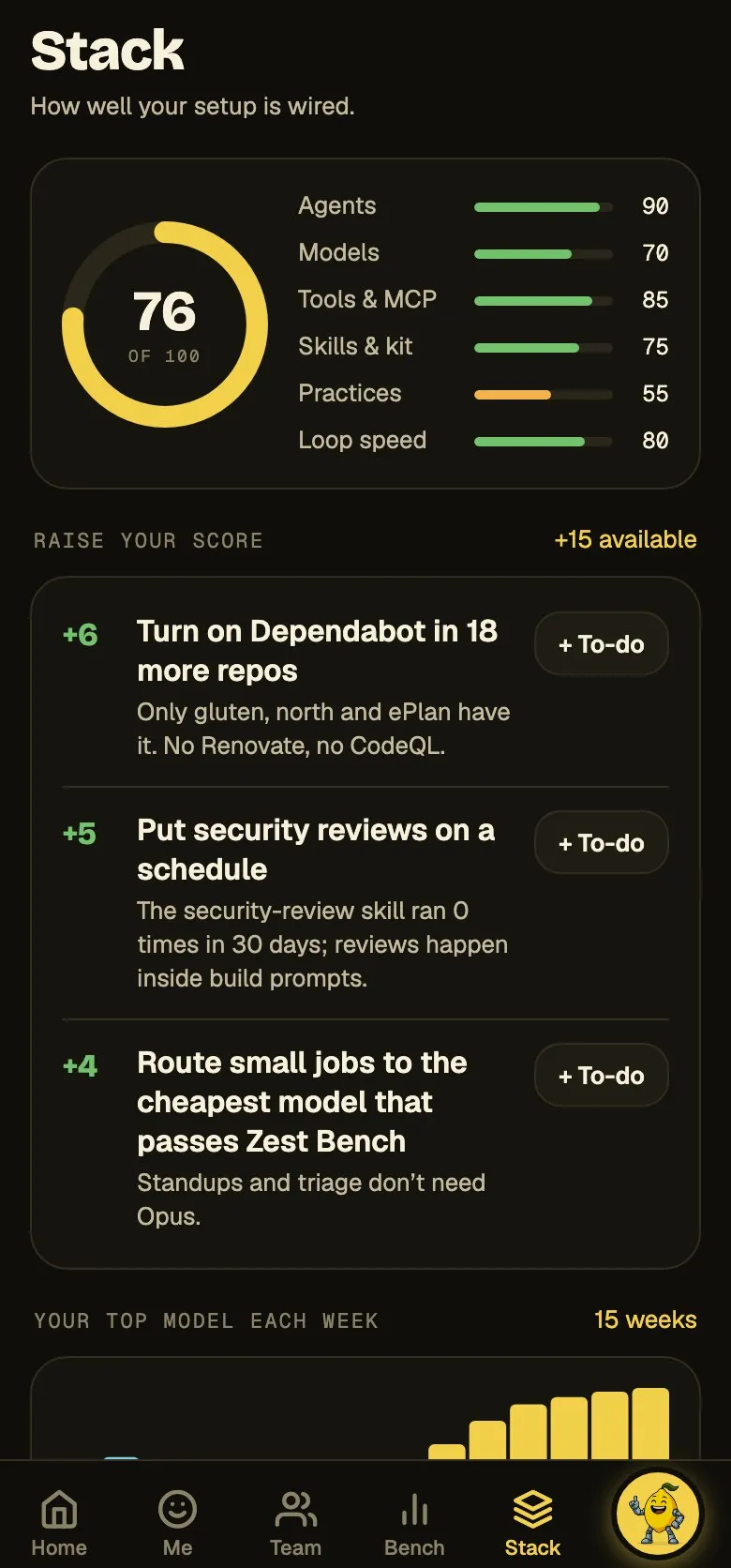
Stack in the Zest app: how well your setup is wired, and what raises the score
AT A GLANCE
Codex vs GitHub Copilot, side by side
What each tool documents, row by row.
Codex vs GitHub Copilot, side by side
Codex
GitHub Copilot
Team seats for 5 engineers
$100/mo — ChatGPT Business at $20 a seat, billed annually ($25 monthly).[2]
$95/mo — Copilot Business at $19 a seat, with 1,900 pooled AI credits.[4]
Where it runs
Codex CLI, an IDE extension (VS Code, Cursor, Windsurf), the ChatGPT desktop app, Codex Cloud and @codex review on GitHub.[1]
Agent mode in VS Code, Visual Studio, JetBrains, Xcode and Eclipse; the Copilot CLI and app; a cloud agent on GitHub.[3]
Models
OpenAI GPT models; local clients can point at a custom Responses-API provider such as Ollama.[6][7]
OpenAI, Anthropic, Google, xAI (Grok) and other vendors' models, picked per chat.[8]
Project instructions
AGENTS.md (global ~/.codex, then repo root down to the working directory) and AGENTS.override.md.[9]
.github/copilot-instructions.md and .github/instructions; AGENTS.md in VS Code chat, and AGENTS.md and CLAUDE.md in the cloud agent and CLI.[10]
Skills, subagents and hooks
Skills in .agents/skills (the Agent Skills standard), custom agents and subagents, and hooks.[11]
Agent skills (.github, .claude or .agents skills), custom agents, prompt files and hooks.[12]
MCP servers
STDIO and Streamable HTTP MCP servers in config.toml, from the app, CLI and IDE extension.[13]
In IDEs, the CLI, the app and the cloud agent; for Business and Enterprise the MCP policy is off by default.[14]
Team analytics, built in
Workspace analytics of messages, credits and active users; a Codex dashboard and Analytics API on Enterprise.[15][16]
A 28-day usage metrics dashboard, code generation and impact dashboards, and a per-user REST API.[17]
Checking your own usage
A usage dashboard with limits and reset times; /status and /usage daily, weekly or cumulative in the CLI.[2][18]
Copilot settings show usage this cycle in AI credits; the Copilot CLI's /usage shows tokens and credits per model.[19]
Each tool's column is read from its vendor's own docs and pricing page, dated in the sources below.
ON YOUR OWN TEAM
Measure both with Zest
Codex and GitHub Copilot Chat sessions side by side, per engineer
The model, skills and MCP tools behind each session
Which tool's sessions end in merged pull requests
A daily standup written from both
USED BY ENGINEERING TEAMS AT
Codex or GitHub Copilot: which one fits your team
Pick Codex if your team pays for ChatGPT, since Plus, Pro and Business include it, and wants an agent that takes whole tasks: in the terminal, in VS Code, Cursor, Windsurf, JetBrains or Xcode, in the ChatGPT desktop app, or as cloud tasks. It runs OpenAI's GPT models, GPT-6.1 Sol among them, metered per five hours and per week, and reviews a pull request when you tag @codex.
Pick Copilot if AI inside every editor comes first. One seat covers three things: inline completions and next edit suggestions, unlimited on paid plans and not billed in AI credits; chat and agent mode in VS Code, Visual Studio, JetBrains, Xcode and Eclipse; and the cloud agent, which edits, tests and pushes a branch on GitHub. Agent work draws on AI credits, which Business seats add to one organization pool.
The two meet in the agent. On Copilot's paid plans you can assign an issue to OpenAI Codex as a third-party agent on GitHub, in public preview, with GPT-5.3-Codex, GPT-5.4 nano or Auto rather than GPT-6, billed in Actions minutes and AI credits. Copilot Pro+ and Max subscribers can also sign in to the Codex VS Code extension with Copilot.
Codex vs Copilot in VS Code, and how to use them together
In VS Code, Copilot is already in the Chat view and Codex is something you add. VS Code doesn't list Codex by default, so install the OpenAI Codex extension, then open it from its own icon or pick Codex from the Session Target control when you start a chat. That only changes which agent runs the chat, and Copilot's completions and next edit suggestions keep working beside it.
Two catches apply on a team. VS Code disables its Codex option when Copilot's enterprise-managed settings apply, so ask whoever deployed them if it never appears. And picking GPT-6 Astra or GPT-6.1 Sol in Copilot's own model list runs Copilot's agent on an OpenAI model, which isn't the same as running Codex.
There are four ways to run Codex next to Copilot, and they differ in whose plan pays and which models you get.
From VS Code's, GitHub's and OpenAI's docs, read November 10, 2026.
Way to run it
How to turn it on
Who pays
Models
Codex extension, ChatGPT sign-in
Install the OpenAI Codex extension and sign in with ChatGPT
Your ChatGPT plan's limits, then credits
The GPT models on your ChatGPT plan
Codex extension, Sign in with Copilot
Choose Sign in with Copilot at launch, on Copilot Pro+ or Max only
GitHub's rate limits and billing
Set by the extension, not by Copilot's model policies
VS Code's Agent Host integration, experimental
Turn on chat.agentHost.codexAgent.enabled, with no extension needed
A ChatGPT account, even a free one, or Copilot Pro+
Grouped by account in the model picker
Codex agent on GitHub
Enable it in your Copilot settings, then assign an issue or mention it on a pull request
GitHub Actions minutes and AI credits
GPT-5.3-Codex, GPT-5.4 nano or Auto
Codex vs GitHub Copilot: config files and commands
Codex and GitHub Copilot both read AGENTS.md and load skills from .agents/skills, so most of a Codex repo already works with Copilot. Copilot adds its own files under .github: copilot-instructions.md, path rules in instructions/, custom agents and hooks.
From Codex's and GitHub Copilot's docs, read October 5, 2026.
Codex
GitHub Copilot
Instructions
AGENTS.md from ~/.codex down to the working folder; AGENTS.override.md wins
.github/copilot-instructions.md, .github/instructions/, AGENTS.md; CLAUDE.md in the cloud agent and CLI
Skills
.agents/skills/<name>/SKILL.md, run with $name or /skills
.github/skills, .claude/skills or .agents/skills
Subagents
TOML files in .codex/agents/
Custom agents in .github/agents/
Hooks
.codex/hooks.json, or [hooks] in config.toml
.github/hooks/*.json
MCP servers
codex mcp add; [mcp_servers.<name>] in ~/.codex/config.toml
servers in .vscode/mcp.json; repository settings for the cloud agent
From a script
codex exec "…"
copilot -p "…" (the Copilot CLI)
Pull request review
Tag @codex on a pull request, or turn on automatic reviews
Copilot code review, requested or automatic
MCP servers: config.toml vs .vscode/mcp.json
Codex keeps MCP servers in TOML, in ~/.codex/config.toml, which its CLI, IDE extension and desktop app share. Copilot in VS Code reads JSON from .vscode/mcp.json, under a servers key, and Copilot's cloud agent and code review use servers set at the repository level on GitHub.
Codex and GitHub Copilot, from each vendor's pricing page in November 2026 and October 2026:
Codex comes with ChatGPT Plus at $20 a month, Pro from $100 and Business at $25 per user ($20 billed yearly), and Free and Go ($8) run GPT-6 Luna in the desktop app. On Plus and Standard Business, OpenAI estimates 6–50 local messages per five hours on GPT-6.2 Astra, 17–180 on GPT-6.2 Sol, 5–45 on GPT-6 Astra, 15–160 on GPT-6.1 Sol, 35–285 on GPT-6.1 Terra and 350–3,000 on GPT-6 Luna. More on Codex pricing.
Copilot Business is $19 a seat, with 1,900 pooled AI credits.
On November 10, 2026, GitHub's billing page listed Copilot Pro at $10 a month with 1,000 base AI credits and a 500 flex allotment, Pro+ at $39 with 3,900 and 3,100, and Max at $100 with 10,000 and 10,000, at $0.01 a credit. For one developer, that makes Copilot Pro half the price of ChatGPT Plus, and the two meter differently: Copilot's agent work spends credits at each model's token rates, while Plus limits Codex by five-hour and weekly windows.
What our own team can tell you
Codex wrote 31 of the 866 agent-written pull requests merged in our two repos from August 12 to October 4, 2026, and Copilot wrote none, so we can't compare the two on our own work. What we can say about Codex alone is on Codex usage: its share of our merged pull requests rose to 9.9% in the 30 days to October 3, and on one engineer's laptop its weekly limit reached 100% on 7 days in September.
Running Codex and GitHub Copilot on one repository
Install the Codex extension in VS Code next to Copilot, and keep shared instructions in AGENTS.md: Codex reads it from ~/.codex down to the working folder, and Copilot reads it in VS Code chat, the cloud agent and the CLI. Put skills in .agents/skills, where both load them.
Both review bots read AGENTS.md too. Codex's GitHub review follows a ## Code Review Rules section in the file nearest the code, like this one from OpenAI's docs, and Copilot code review reads AGENTS.md as agent instructions.
Weighing Anthropic's agent as well? Claude Code vs GitHub Copilot and Claude Code vs Codex put it against each one. For OpenAI Codex vs Claude Code vs GitHub Copilot, the short answer is that Codex and Claude Code are agents built around their makers' models and sold with their makers' subscriptions, while Copilot is the seat that adds completions and can run Codex or Anthropic's Claude as an agent on GitHub. Usage then lives in three places: the Claude Code usage dashboard, the Codex usage dashboard and GitHub's Copilot metrics.
AGENTS.md
## Code Review Rules

### Experiment cohorts
- Do not filter treatment comparisons on post-exposure behavior, including conversion or retention.
Safe path: build cohorts from assignment or exposure; report conversion as an outcome.
TRY IT ON YOUR TEAM
See what your team ships with AI.
Starter is free (3 seats, no credit card). Pro is $49 a month with 5 seats and Max is $149 a month with 10 seats — priced per workspace, not per engineer, with extra seats at $19 a month. See pricing
Codex, if your agent work should run on a ChatGPT plan with GPT-6 models; Copilot, if you want completions and agents across editors on one seat. They can share a repo, and Copilot can run Codex as an agent on GitHub.
Is GitHub Copilot's coding agent the same as Codex?+
No. The Copilot cloud agent is GitHub's own; OpenAI Codex is a separate agent that Copilot's paid plans can also run on GitHub, in public preview, next to Anthropic's Claude.
Can I use my Copilot subscription in the Codex extension?+
On Copilot Pro+ and Max, yes: the Codex VS Code extension has a Sign in with Copilot option, and that usage counts against GitHub's rate limits and billing.
Can I use Codex instead of Copilot in VS Code?+
Yes. Install the Codex extension and run it next to Copilot or in place of it. It works on your ChatGPT plan, and Copilot Pro+ and Max subscribers can sign in with Copilot instead.
Does Zest capture Copilot inline completions?+
No. Zest reads Copilot Chat sessions in VS Code and each Codex session from the Codex plugin (models, tokens, skills and tools), and GitHub's Copilot metrics stay the source for completions.

 Codex