
CI/CD Platforms Compared: 12 Tools, Pricing, Best For
Related guide: DORA metrics and AI coding
Use the CI/CD platform that lives next to your code unless you have a reason not to: GitHub Actions if your repositories are on GitHub, GitLab CI/CD if you want source control, pipelines and security scanning in one product, Bitbucket Pipelines on Bitbucket. Reach for Jenkins when you need full control on your own servers, Buildkite when you want a hosted control plane with builds on your hardware, and your cloud’s own service (Cloud Build, CodePipeline, Azure Pipelines) when nearly everything deploys there.
Below: a pricing table, then each of the 12 platforms in a few paragraphs, and how to choose. Prices change often; every figure here was checked on the vendor’s own pricing page on October 4, 2026.
Pricing and free tiers at a glance
| Platform | Free tier | Paid from | Where builds run |
|---|---|---|---|
| GitHub Actions | Public repos free; private 2,000 min/month (Free plan) | Linux $0.006/min | Hosted or self-hosted |
| GitLab CI/CD | 400 compute min/month, 5 users | Premium $29/user/month (10,000 min) | Hosted or self-managed |
| CircleCI | 30,000 credits/month (up to ~6,000 min), 5 users | $15/month (5 users) | Hosted or self-hosted |
| Jenkins | Free, open source | Your servers | Self-hosted |
| Azure Pipelines | 1 hosted job, 1,800 min/month; 1 self-hosted job | $40/month per extra hosted job | Hosted or self-hosted |
| Bitbucket Pipelines | 50 min/month, 5 users | Standard $3.65/user/month (2,500 min) | Hosted or self-hosted |
| Buildkite | 5 users, 2,000 hosted Linux vCPU-min/month | Pro $30/active user/month | Your agents or hosted |
| TeamCity | On-prem: 3 agents, 100 build configurations | Cloud $15/committer/month | Self-hosted or cloud |
| Harness CI | 2,000 cloud credits/month (~2,000 Linux min) | Contact sales | Hosted or self-hosted |
| Google Cloud Build | 2,500 build-min/month per billing account | $0.006/min (e2-standard-2) | Google Cloud |
| AWS CodePipeline + CodeBuild | 100 action-min + 100 build-min/month | $0.002/action-min; build from $0.005/min | AWS |
| Semaphore | $15 credits/month (~2,000 min); open-source edition | $0.0075/min (2 vCPU Linux) | Hosted or self-hosted |
1. GitHub Actions
GitHub Actions runs workflows defined in YAML files under .github/workflows, triggered by pushes, pull requests, schedules or almost any repository event. The Marketplace has thousands of reusable actions, from cloud logins to Slack notifications.
- Best for: teams and open-source projects already on GitHub.
- Pricing: free on standard runners for public repositories. Private repositories get 2,000 minutes a month on the Free plan, 3,000 on Pro and Team, 50,000 on Enterprise Cloud. GitHub cut hosted-runner prices by up to 39% on January 1, 2026; a Linux 2-core minute is now $0.006 and Windows $0.010. Self-hosted runners are free. A $0.002-per-minute fee for self-hosted runners, announced for March 2026, was postponed.
- Pros: no setup beyond a YAML file; pull request checks, environments and secrets are built in.
- Cons: macOS minutes cost far more than Linux; YAML spread across many repositories needs reusable workflows to stay manageable.
2. GitLab CI/CD
GitLab CI/CD reads a .gitlab-ci.yml file and sits inside GitLab’s single application, next to merge requests, issues and the container registry. You can use GitLab.com or run GitLab on your own servers.
- Best for: organizations that want source control, CI/CD and security scanning from one vendor.
- Pricing: Free has 400 compute minutes a month and 5 users per private group. Premium is $29 per user a month, billed annually, with 10,000 minutes; Ultimate (50,000 minutes) is priced on request (GitLab pricing).
- Pros: parent-child pipelines, the CI/CD Catalog of reusable components and merge trains keep large setups manageable. Basic SAST and secret detection run on every tier.
- Cons: DAST, security dashboards and most compliance features need Ultimate. Self-managed GitLab is a sizable system to operate.
3. CircleCI
CircleCI is a hosted CI service known for performance features: test splitting across parallel containers, Docker layer caching, and reusable config packages called orbs. You can SSH into a failed job to debug it.
- Best for: teams that want to tune build speed on hosted infrastructure, including macOS, Windows, Arm and GPU machines.
- Pricing: Free includes 30,000 credits a month (up to about 6,000 build minutes on a small Docker machine) and 5 active users. Performance starts at $15 a month for the first 5 users, plus $15 per extra user; extra credits are $15 per 25,000 (CircleCI pricing). Since December 1, 2025, users without a CircleCI account count as active users.
- Pros: strong parallelism and caching; good insight into slow and flaky tests.
- Cons: credit pricing takes effort to forecast; macOS and large machines burn credits quickly.
4. Jenkins
Jenkins is the open-source automation server that many teams started with. Pipelines live in a Jenkinsfile in declarative or scripted syntax, and a large plugin ecosystem connects it to nearly any tool.
- Best for: teams that need full control on their own infrastructure, or deep integration with legacy and in-house systems.
- Pricing: free. You pay for servers and for the engineers who maintain them.
- Pros: runs anywhere; no license fees; distributed agents scale out builds.
- Cons: you own upgrades, security patches, backups and plugin compatibility. The current LTS line (2.580.1, September 2026) needs Java 21 or 25; Java 17 support ended with 2.555.1 in April 2026 (Jenkins LTS changelog).
5. Azure Pipelines
Azure Pipelines is the CI/CD part of Azure DevOps. It builds code from Azure Repos, GitHub or Bitbucket with YAML pipelines, and its multi-stage pipelines support environments with approvals and checks.
- Best for: Microsoft and .NET shops, and teams already on Azure DevOps Boards and Repos.
- Pricing: private projects get one Microsoft-hosted job with 1,800 minutes a month (60 minutes per job) and one self-hosted job with unlimited minutes. Extra parallel jobs cost $40 a month hosted or $15 a month self-hosted (Azure DevOps pricing).
- Pros: first-class Windows and .NET agents; traceability from work item to deployment.
- Cons: the interface spans several Azure DevOps services and takes time to learn. Public projects are being retired: no new ones since April 2026, and existing ones become private in 2027, so open-source projects lose their unlimited free minutes.
6. Bitbucket Pipelines
Bitbucket Pipelines is built into Bitbucket Cloud. A bitbucket-pipelines.yml file defines steps that each run in a Docker container.
- Best for: teams on Bitbucket and Jira.
- Pricing: Free (up to 5 users) has 50 build minutes a month; Standard is $3.65 per user a month with 2,500 minutes, Premium $7.25 with 3,500. Extra minutes are $10 per 1,000 (Bitbucket pricing).
- Pros: almost no setup for Bitbucket repositories; build and deployment status shows up on Jira issues.
- Cons: 50 free minutes run out fast; fewer machine types and integrations than dedicated CI services.
7. Buildkite
Buildkite splits CI in two: Buildkite hosts the control plane and web interface, and agents run the builds on machines you choose, from cloud instances to a rack of Mac minis. Pipelines are YAML in your repository, and they can generate more steps dynamically.
- Best for: large teams that need high concurrency and want code and secrets to stay on their own infrastructure.
- Pricing: Free covers 5 users, 10 concurrent jobs and 2,000 hosted Linux vCPU-minutes a month. Pro is $30 per active user a month for up to 50 users; hosted Linux agents cost $0.004 per vCPU-minute (Buildkite pricing).
- Pros: scales to very large monorepos; signed pipelines, SSO and audit logs.
- Cons: with self-hosted agents you run and scale the build fleet yourself; hosted macOS agents need Pro.
8. TeamCity (JetBrains)
TeamCity is JetBrains’ CI/CD server. Pipelines can be defined in a Kotlin DSL with IDE support, and build chains model complex dependencies between builds.
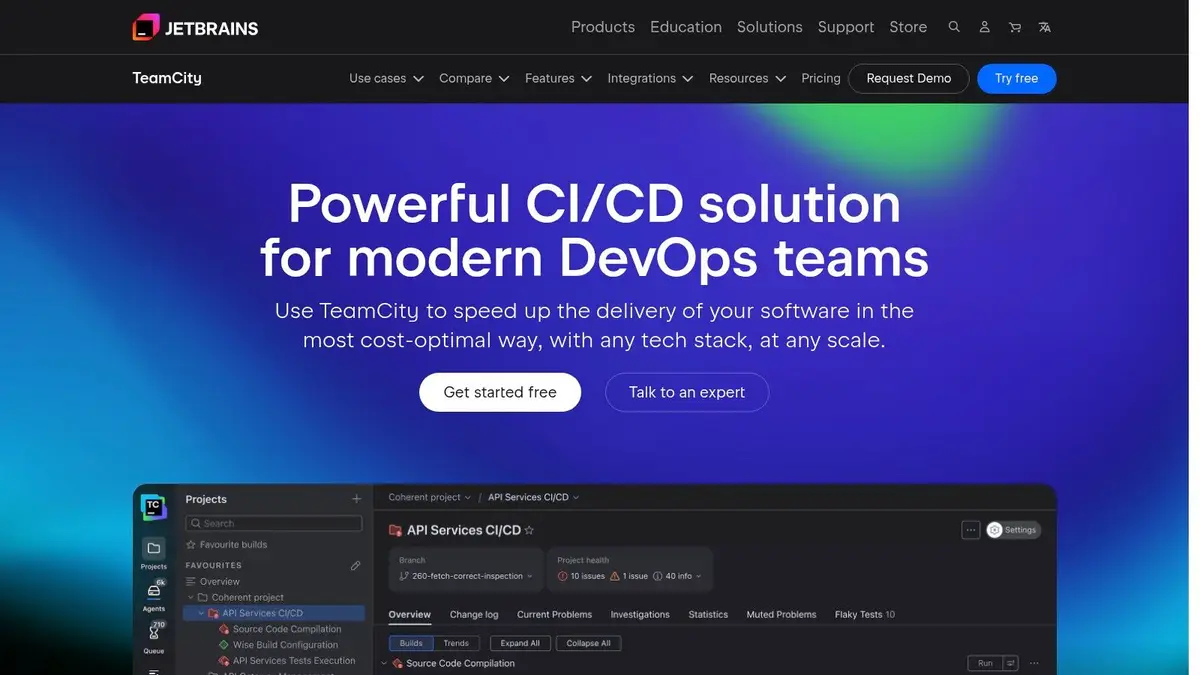
- Best for: teams that want detailed build and test analytics, especially JetBrains IDE users.
- Pricing: TeamCity On-Premises Professional is free for 3 build agents and 100 build configurations. TeamCity Cloud is $15 per committer a month, billed annually, with a 3-committer minimum (TeamCity pricing).
- Pros: test history and flaky-test detection; remote runs test a change before you commit it; TeamCity 2026.2 made its newer, simpler Pipelines generally available.
- Cons: build chains and the Kotlin DSL take time to learn; on-premises licensing gets complex at scale.
9. Harness CI
Harness CI is one module of the Harness platform, next to CD, security testing, infrastructure as code and feature flags. Test Intelligence runs only the tests a change affects.
- Best for: enterprises that want CI and CD under one governance model, with policy as code and audit trails.
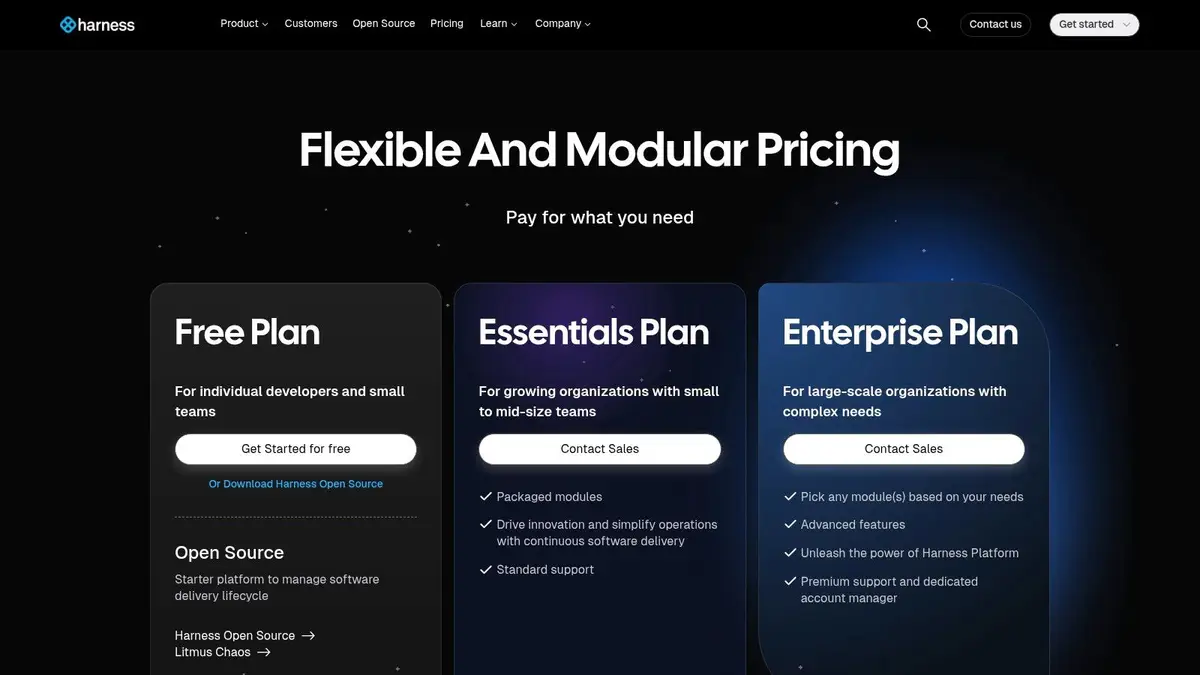
- Pricing: Free includes 2,000 Harness Cloud credits a month, about 2,000 minutes on a Linux 2-core machine; using Harness Cloud on Free requires a credit card. Essentials and Enterprise are sold through sales (Harness pricing).
- Pros: strong guardrails, templates and role-based access across many teams.
- Cons: more platform than a small team needs; no published prices for paid plans.
10. Google Cloud Build
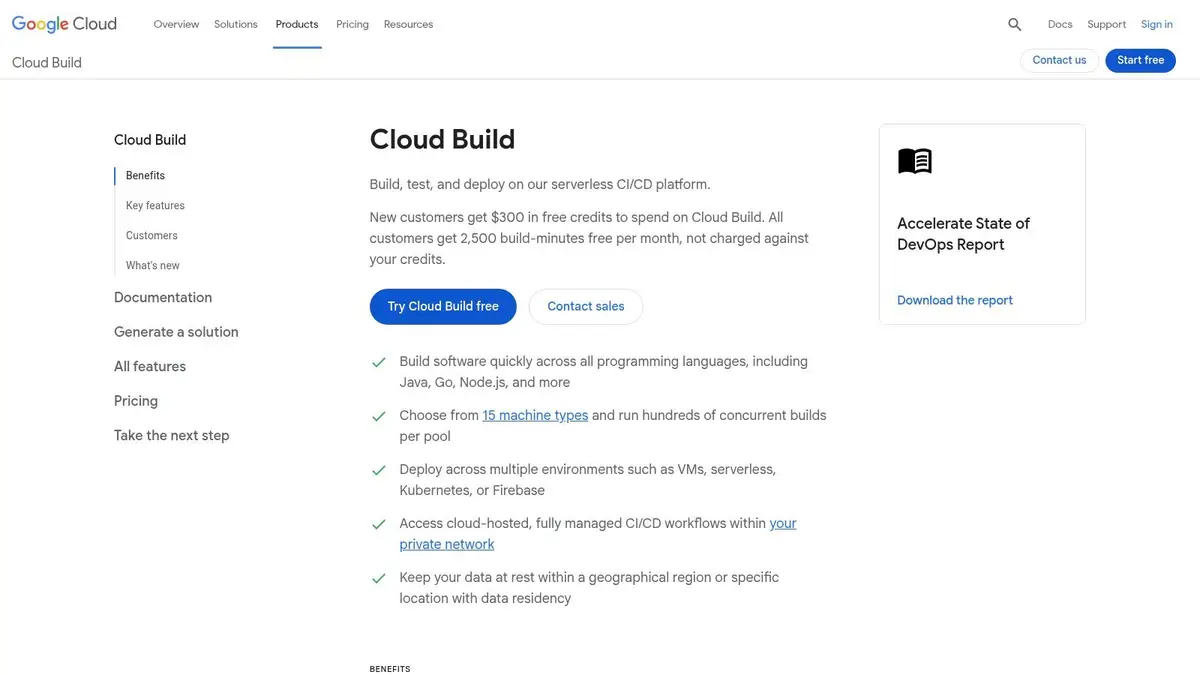
Cloud Build is Google Cloud’s serverless CI/CD. A cloudbuild.yaml file defines the steps, and triggers start builds from GitHub, GitLab or Bitbucket. It builds container images and deploys to GKE, Cloud Run and other Google Cloud services.
- Best for: teams that build containers and deploy them on Google Cloud.
- Pricing: 2,500 free build-minutes a month per billing account on the default e2-standard-2 machine, then $0.006 a minute (Cloud Build pricing). Private pools run builds inside your own VPC at separate rates.
- Pros: no servers to run; tight links to Artifact Registry and Binary Authorization.
- Cons: most useful only inside Google Cloud. Cloud Source Repositories, Google’s own Git hosting, has been closed to new customers since June 17, 2024, so your code will live elsewhere.
11. AWS CodePipeline and CodeBuild
On AWS, CodePipeline orchestrates the release stages and CodeBuild runs the builds and tests on managed machines. Both use IAM for permissions and can run builds inside your VPC.
- Best for: teams that deploy almost everything on AWS.
- Pricing: CodePipeline V2 charges $0.002 per action-execution minute after 100 free minutes a month; V1 pipelines are $1 per active pipeline a month. CodeBuild includes 100 free build minutes a month on its smallest machines, then from $0.005 a minute (CodePipeline pricing, CodeBuild pricing).
- Pros: deep integration with S3, ECR, ECS, Lambda and CodeDeploy; costs follow usage.
- Cons: setup is verbose, with IAM policies for each part. AWS CodeCommit, which stopped taking new customers in 2024, returned to general availability on November 24, 2025, so an all-AWS setup is an option again.
12. Semaphore
Semaphore is a hosted CI/CD service focused on fast pipelines, with parallel tests, promotions between pipelines and deployment targets. Its Community Edition has been open source (Apache 2.0) since February 2025, so you can also run it yourself.
- Best for: teams that want fast hosted builds and simple usage-based pricing without per-seat fees.
- Pricing: $15 of free credits a month (about 2,000 minutes on a 2-vCPU Linux machine). After that you pay per use with no seats: $0.0075 a minute for 2-vCPU Linux, billed per minute rounded up (Semaphore pricing). Pricing changed on March 16, 2026, dropping seat fees for self-hosted agents.
- Pros: quick to set up; a self-hostable open-source edition.
- Cons: a smaller ecosystem of integrations than the market leaders.
Which CI/CD platform to pick
Start with three questions:
- Where does your code live? The platform built into your Git host (GitHub Actions, GitLab CI/CD, Bitbucket Pipelines) has the shortest setup and the best pull request integration. Move away only for a concrete reason: cost at your volume, a build that needs special hardware, or a compliance rule.
- Where must builds run? If code or secrets can’t leave your network, use self-hosted runners on your Git host, Buildkite agents, Jenkins, TeamCity On-Premises or self-managed GitLab.
- Where do you deploy? If nearly everything goes to one cloud, its native service (Cloud Build, CodePipeline, Azure Pipelines) saves IAM and networking work.
Then estimate a month of real usage. Take last month’s builds, multiply by their average minutes and machine size, and price it on the two or three candidates; macOS minutes and large runners change the answer more than the headline price does. Run a one-week trial with your slowest pipeline before you commit.
Once it runs, measure it: how long a change takes from commit to production, how often deploys fail, how long a red build stays red. Our guide to DORA metrics and AI coding covers what to track. Coding agents make pipeline speed matter more: in one small team’s 866 agent-written pull requests, the median pull request went from opened to merged in 37 minutes, so a slow pipeline quickly becomes most of the wait.