
Agile vs Kanban vs Scrum A Practical Guide for 2026
When people talk about Agile vs. Kanban vs. Scrum, they often get tangled up in the details. Let’s clear up a common point of confusion right away: this isn’t a choice between three equal options. Agile is a philosophy—a way of thinking—while Scrum and Kanban are frameworks that help you put that philosophy into practice.
Think of it like this: Agile is the “why,” and Scrum or Kanban is the “how.”
Understanding The Agile Landscape Scrum and Kanban

The Agile mindset is defined by a set of values and principles centered on iteration, collaboration, and quickly responding to change. It’s not a rigid rulebook. This focus on adaptability is what delivers the many https://meetzest.com/blog/benefits-of-agile-software-development that teams are looking for.
Scrum and Kanban are two of the most popular ways to bring those Agile principles to life. They give you the structure and practices to get the work done.
The Fundamental Divide
So, what’s the real difference between them? It comes down to how they approach work.
Scrum is structured and prescriptive. It organizes work into fixed-length cycles called Sprints, which usually last two to four weeks. This creates a predictable rhythm for your team, making it a great fit for complex projects where you can plan work in short, focused increments.
Kanban, on the other hand, is all about continuous flow and flexibility. It doesn’t use Sprints or have prescribed roles. The main idea is to visualize your workflow, limit how much work is in progress at any one time (WIP), and make the whole process more efficient. This makes it perfect for teams dealing with unpredictable tasks, like IT support or maintenance, where priorities can shift on a dime.
The core choice isn’t about which framework is “better,” but which one aligns with your team’s workflow. Scrum organizes work around time (sprints), while Kanban organizes it around flow (the board).
If you’re interested in seeing how these ideas can be applied beyond a single development team, this practical guide to Agile DevOps implementation shows how to integrate these principles with your operations practices.
Quick Comparison Agile vs Scrum vs Kanban
To make the differences even clearer, here’s a quick breakdown of how these three concepts stack up against each other.
| Aspect | Agile (Philosophy) | Scrum (Framework) | Kanban (Framework) |
|---|---|---|---|
| Core Idea | A set of values and principles for iterative development. | A framework for delivering complex products in increments. | A method to manage and improve workflow efficiency. |
| Cadence | Iterative and incremental progress. | Fixed-length Sprints (e.g., 2-4 weeks). | Continuous flow; no fixed iterations. |
| Roles | Encourages self-organizing teams. | Prescribed: Product Owner, Scrum Master, Developers. | No prescribed roles; existing roles can be adapted. |
| Key Focus | Responding to change and delivering customer value. | Delivering a potentially shippable increment each Sprint. | Improving flow and reducing cycle time. |
| Change | Welcomed throughout the development process. | Handled between Sprints to protect the current Sprint goal. | Allowed at any time, as long as WIP limits are respected. |
Ultimately, Agile gives you the guiding principles, while Scrum and Kanban offer two distinct paths to implement them. The right choice depends entirely on your team’s context, priorities, and the nature of the work you do.
How Scrum Creates Structure and Predictability

If Agile is the overall philosophy, think of Scrum as the specific, opinionated recipe for putting it into action. It’s designed to bring a predictable rhythm to development, which helps teams handle complex projects and deliver value in a steady, reliable way. This structure is exactly why it’s often the go-to for teams just starting their Agile journey.
The numbers don’t lie—Scrum is everywhere. It’s easily the most dominant Agile framework out there, with 81% of Agile teams reporting they use Scrum or a hybrid version of it. While 58% stick to pure Scrum, it’s interesting that the other 42% mix it with other methods, which shows just how flexible it can be.
The Core Components of Scrum
Scrum’s predictability comes from its three main pillars: defined roles, time-boxed events, and key artifacts. Each piece has a specific job to do, all working together to keep the team aligned and focused.
Scrum Roles:
- Product Owner: This person is ultimately responsible for the product backlog and making sure the team’s work delivers the most value. They’re the voice of the customer and stakeholders, deciding what gets built.
- Scrum Master: Part coach, part facilitator. The Scrum Master helps the team follow the Scrum framework, clears roadblocks, and acts as a servant-leader—not a traditional project manager.
- Developers: This is the cross-functional group of people who actually build the product. They’re the ones doing the hands-on work to create a usable piece of software each sprint.
These roles create a healthy separation of duties. The Product Owner focuses on the “what,” the Developers on the “how,” and the Scrum Master on making the process run smoothly.
Sprints and Ceremonies: The Heartbeat of Scrum
The real pulse of Scrum comes from its time-boxed events, often called ceremonies, which all happen inside a Sprint. A Sprint is a short, consistent cycle—usually two to four weeks long—where the team works to create a “Done,” usable, and potentially shippable product increment.
The Sprint acts as a container for all other events. Its fixed length provides a consistent cadence for planning, execution, and reflection, which is crucial for forecasting and building trust with stakeholders.
During every Sprint, the team participates in a few key ceremonies:
- Sprint Planning: The team gets together to decide what they can deliver in the coming Sprint and how they’ll get it done. For new teams, learning sprint planning best practices is a critical first step.
- Daily Scrum: A quick, 15-minute daily meeting for the Developers to sync up. They check progress toward the Sprint Goal and adjust their plan for the next 24 hours.
- Sprint Review: At the end of the Sprint, the team shows off what they built to stakeholders and gets direct feedback. This is all about reviewing the product itself.
- Sprint Retrospective: This is the final meeting, where the team looks back on the Sprint to talk about what went well, what didn’t, and how they can improve next time. This is about reviewing the process.
This repeatable cycle builds in constant opportunities to inspect the work and adapt the plan. By committing to a Sprint Goal, teams can focus their efforts without getting sidetracked, which leads to more predictable results and a much better sense of their own capacity. A great way to track this is by measuring velocity in Scrum to better forecast what your team can accomplish.
How Kanban Maximizes Flow and Flexibility
While Scrum is all about structured, time-boxed sprints, Kanban takes a completely different approach. It’s a fluid, visual method that prioritizes continuous improvement and the ability to adapt on the fly. Instead of trying to fit work into rigid two-week blocks, Kanban is all about making sure value flows smoothly from idea to delivery. This makes it a fantastic choice for teams that aren’t working on long-term projects but are instead handling a constant stream of incoming tasks.
Kanban has really taken off as a solid alternative to Scrum, especially for teams doing continuous deployment or managing work that’s hard to predict. The numbers speak for themselves: a whopping 87% of teams that switch to Kanban find it more effective than whatever they were doing before. It’s clear why it’s gaining so much ground for making organizations more agile, as you can see from these project management stats.
The Four Core Principles of Kanban
The beauty of Kanban is that its flexibility comes from four simple, yet powerful, principles. The whole idea is to improve what you’re already doing, not to rip everything out and start over. This evolutionary take is a huge win in companies that get nervous about big, sudden changes.
- Visualize the Work: The first thing you’ll notice with Kanban is the board. The Kanban board is the heart of the system, laying out every single task for the whole team to see as it moves through stages like “To Do,” “In Progress,” and “Done.” This transparency immediately shows you where work is getting stuck and what’s causing bottlenecks.
- Limit Work in Progress (WIP): This might just be the most important rule of Kanban. By setting clear limits on how many tasks can be in any single stage of the workflow, you stop the team from getting swamped. Limiting WIP creates a pull system—you can’t start something new until you finish what’s already on your plate. This sharpens focus and, counterintuitively, makes everything move faster.
- Focus on Flow: The main goal here is to get work moving smoothly and predictably across the board. Teams are always watching how tasks are progressing, hunting for ways to smooth out handoffs and cut down on delays. The entire system is designed to shrink the time it takes for a task to go from start to finish.
- Implement Feedback Loops: Kanban thrives on continuous feedback, but it’s not rigid about it. Instead of waiting for a formal Sprint Retrospective, feedback is an ongoing conversation. Teams might have quick daily stand-ups around the board or just pull people together for a quick chat whenever a problem crops up.
Kanban’s philosophy is “start with what you do now.” It doesn’t prescribe roles or meetings. It simply asks you to visualize your current workflow and start making small, incremental improvements.
Key Kanban Metrics for Optimization
Since Kanban is all about flow, its metrics are built to measure speed and predictability. This is a big departure from Scrum, which uses Velocity to see how much work a team can get done in a sprint. With Kanban, you’re more concerned with how efficiently individual tasks move through the pipeline.
The two metrics you’ll live by are:
- Cycle Time: This is the time it takes for a single task to go from “In Progress” to “Done.” A short cycle time is a sign of a highly responsive team that delivers value quickly. If you’re new to the concept, you can get a full rundown on the definition of cycle time and how to track it.
- Throughput: This simply counts the number of tasks your team completes in a set time frame, like a week or a month. Watching your throughput gives you a real sense of your team’s capacity and helps you make much more accurate predictions.
By keeping a close eye on these numbers, Kanban teams can use real data to fine-tune their process. They can test out different WIP limits, tweak the stages on their board, or automate parts of their workflow to see how it affects cycle time and throughput. That’s the real magic of Kanban—constant, data-driven improvement.
Choosing Your Framework: A Scenario-Based Comparison
So, how do you actually choose between Scrum and Kanban? It’s not about finding the “best” framework—it’s about finding the right tool for the job. The real challenge in the Agile vs. Kanban vs. Scrum debate is understanding your team’s unique situation. Reading a list of pros and cons is one thing, but seeing how these frameworks perform in the real world is what truly clarifies the choice.
Let’s walk through a couple of practical scenarios where one approach is a much better fit than the other. This is where theory meets reality.
Scenario 1: The Time-Sensitive Product Launch
Picture this: your team has four months to launch a new mobile app. The launch date is locked in to coincide with a big industry conference. Most of the core features are defined, but the work is complex and you absolutely must have a shippable product by that deadline. Stakeholders are anxious and want to see regular progress.
Recommendation: Scrum
In this situation, Scrum’s time-boxed Sprints are your best friend. Those two-week cycles create a predictable rhythm, letting you build, test, and show off working software at a steady pace. The Sprint Review becomes a crucial meeting point with stakeholders to keep everyone aligned and manage expectations. No surprises.
For projects with fixed deadlines and a need for predictable delivery, Scrum’s structure provides the focus and forecasting capabilities necessary for success. The commitment to a Sprint Goal shields the team from distractions, ensuring they make steady progress toward the launch date.
Scenario 2: The Unpredictable IT Support Queue
Now, let’s flip to a completely different environment. Think of an IT support team. Their day is a never-ending stream of incoming tickets: urgent bug fixes, user access problems, hardware failures, and small enhancement requests. Priorities can change by the hour, making it impossible to plan work more than a day or two ahead. The main goal here is to be responsive and fix things fast.
Recommendation: Kanban
Kanban was practically designed for this kind of chaos. A Kanban board gives everyone a real-time view of all incoming work, so the team lead can prioritize on the fly. By setting Work in Progress (WIP) limits, the team can stop starting new things and focus on finishing what’s already in front of them. This single practice dramatically cuts down how long it takes to resolve an issue (cycle time) and makes the whole team more responsive.
This decision tree can help you visualize where to start. It all comes down to whether your team needs predictability or flexibility more.
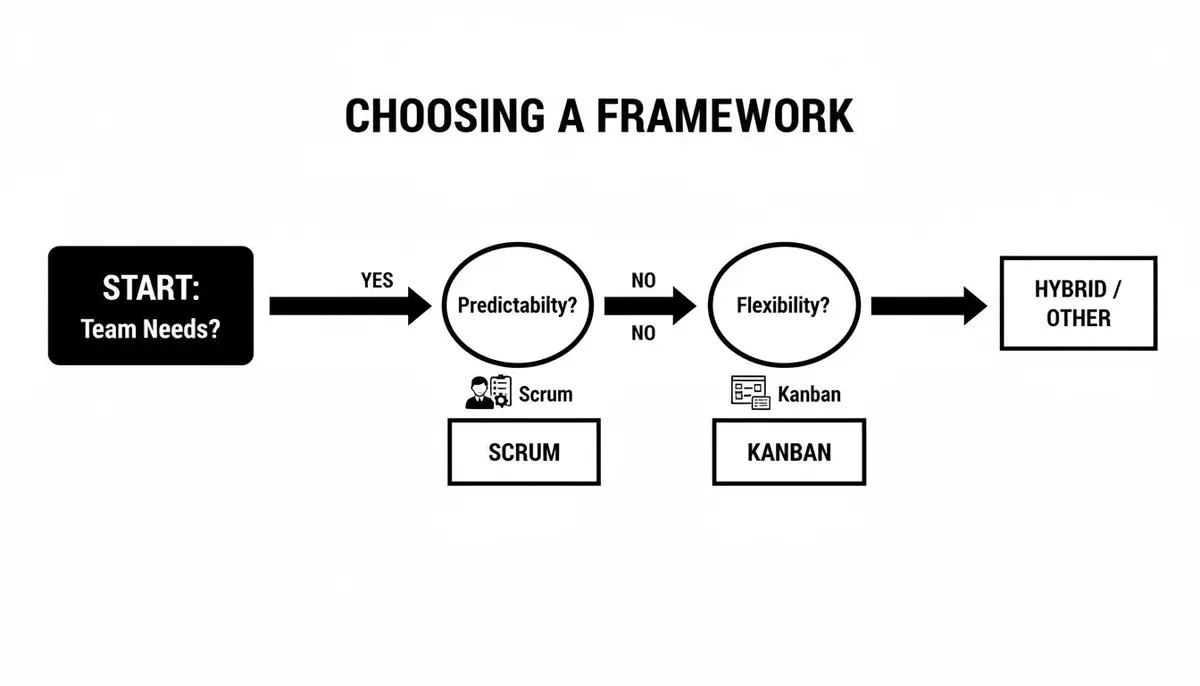
As the chart shows, if you’re tackling a complex project and need a predictable delivery schedule, Scrum is a great starting point. But if your work is a continuous flow that demands flexibility, Kanban is likely the better choice.
Framework Decision Matrix: Scrum vs. Kanban
To help you drill down even further, here’s a side-by-side comparison that breaks down how each framework operates. Think of this as a cheat sheet for your decision-making process.
| Criteria | Scrum | Kanban |
|---|---|---|
| Planning | Plans are made at the start of each Sprint (Sprint Planning). This plan is locked in for the Sprint’s duration to ensure focus. | Planning is a continuous flow. Items are pulled from the backlog into the workflow whenever the team has capacity. |
| Managing Change | To protect the Sprint Goal, major changes are usually parked until the next Sprint. This creates stability. | Changes can be made at any time by simply re-prioritizing the backlog, as long as WIP limits are respected. |
| Team Roles | Has specific, defined roles: Product Owner, Scrum Master, and Developers. | Has no prescribed roles. It’s designed to work with your existing team structure and titles. |
| Release Schedule | Releases often happen at the end of a Sprint, which creates a predictable, reliable cadence for stakeholders. | Releases can happen anytime a piece of work is finished. This approach strongly supports continuous delivery. |
| Success Metrics | Velocity (the amount of work a team finishes per Sprint) is a key metric used for forecasting. | Cycle Time (how long it takes for one task to go from start to finish) and Throughput (how many items are completed in a set time period) are essential. |
| Best For | Complex product development with clear, incremental goals and a team that can remain stable and focused. | Continuous workflows with shifting priorities, such as operations, IT support, maintenance, or even content creation. |
Ultimately, choosing between Scrum and Kanban requires an honest look at your project, your team’s experience level, and your company’s culture. For a very small team of fewer than five people, Scrum’s formal meetings can feel a bit heavy, making Kanban’s lighter structure a more practical option. Likewise, if your organization is generally resistant to big changes, Kanban’s “start where you are” philosophy is often much easier to adopt.
Blending Frameworks With Hybrid Models Like Scrumban
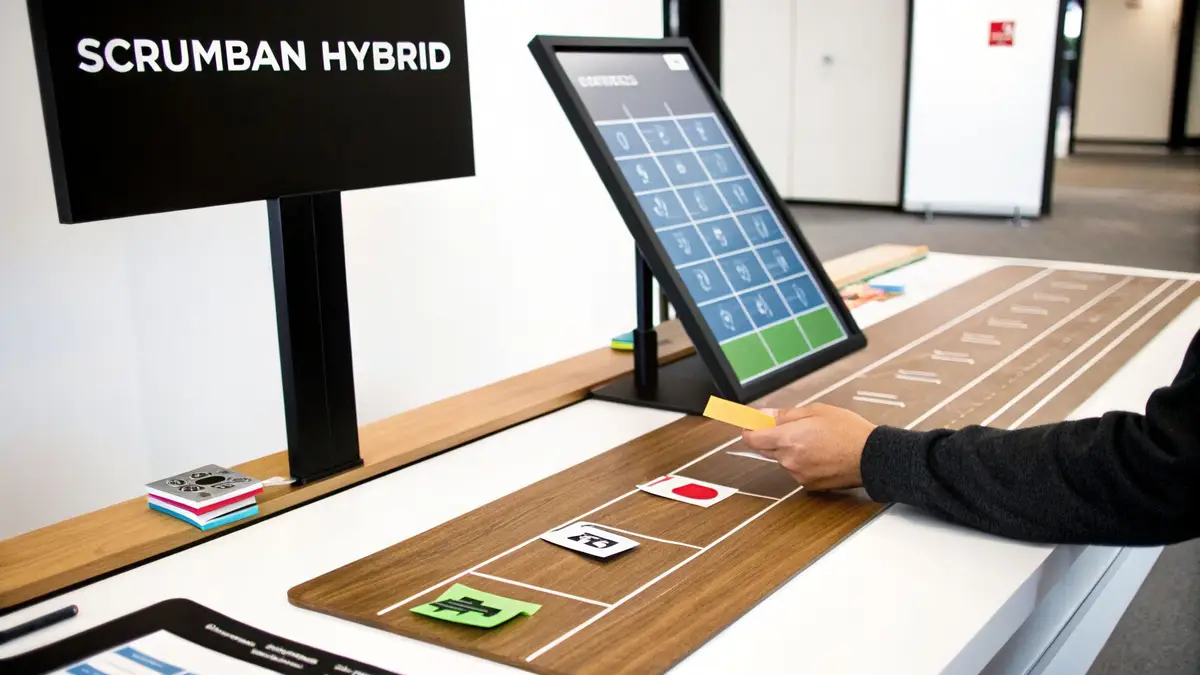
The debate over agile vs kanban vs scrum can make it seem like you have to pick one and stick to it forever. But in the real world, the best teams know that rigid, by-the-book approaches rarely work. They get creative and build a process that actually fits their needs by borrowing elements from different frameworks.
This is all about being practical. The goal isn’t to be a “perfect” Scrum team; it’s to ship great work efficiently. That’s exactly why hybrid models like Scrumban have become so popular.
What Is Scrumban
Scrumban is a mix-and-match approach, combining the structured ceremonies of Scrum with the fluid, visual workflow of Kanban. You’re essentially layering Scrum’s planning and review cadences on top of a Kanban board that focuses on continuous flow. It’s a “best of both worlds” setup that teams can adapt on the fly.
Here’s how a team might land on Scrumban:
- From Scrum to Scrumban: A team using Scrum might get frustrated with sprint boundaries, especially when urgent, unplanned tasks pop up. By introducing a Kanban board with WIP limits, they can manage their workflow visually and tackle bottlenecks, all while keeping their valuable Sprint Planning and Retrospective meetings.
- From Kanban to Scrumban: A team that loves the flexibility of Kanban might find they lack dedicated time for bigger-picture thinking. They could add regular retrospectives to improve their process or adopt a planning meeting to align on long-term goals, adding just enough structure to their continuous delivery model.
Scrumban isn’t a formal framework with a strict rulebook. Think of it as an evolutionary step. It lets a team either transition from one framework to another or just cherry-pick the practices that solve an immediate problem.
Why Teams Choose Hybrid Models
At the end of the day, teams go hybrid for one simple reason: it just works better. Pure Scrum can feel too restrictive for teams dealing with constantly shifting priorities, while pure Kanban can sometimes feel a bit too loose for long-term project planning.
For example, I’ve seen many teams use two-week Sprints but still pull in high-priority bugs or tasks as they arise—a big no-no in pure Scrum but absolutely necessary for their business. This kind of flexibility helps them stay responsive without completely throwing out their predictable rhythm.
Moving Beyond Rigid Scaling Frameworks
This move toward customized processes isn’t just a team-level trend. Across entire organizations, the one-size-fits-all approach is fading. The Scaled Agile Framework (SAFe), once the go-to for large companies, is seeing its influence wane. While it was once used by 37% of organizations, its adoption is declining.
What’s taking its place? Custom solutions. The latest research shows that 34% of organizations are now creating their own enterprise agile frameworks. They’re building systems from the ground up to match their unique culture and goals. You can dig into more of this data and other agile statistics to see just how deep this shift goes.
Ultimately, great teams refuse to be squeezed into a predefined box. They pick and choose the tools and processes that make them better. Whether that’s an off-the-shelf hybrid like Scrumban or a completely homegrown system, it’s all about finding the most effective way to get things done.
Frequently Asked Questions About Agile, Scrum, and Kanban
Once you get past the textbook definitions, the real questions start popping up. Teams want to know how these frameworks actually work day-to-day, especially when things get messy. Let’s tackle some of the most common things people ask when they’re getting started.
Can a Team Switch From Scrum to Kanban?
Absolutely. It’s a very common move, especially for teams craving more flexibility. Making the switch isn’t about ditching Agile; it’s about finding a process that fits you better. It’s usually a gradual shift from a time-boxed approach to a flow-based one.
Here’s a typical way teams make the transition:
- Keep the Board, Ditch the Sprints: You can stick with your current board but just get rid of the Sprint start and end dates. Instead of planning a whole sprint, the team simply pulls the most important task from the backlog whenever they have capacity.
- Introduce WIP Limits: This is the most important step, hands down. Set a hard limit on how many tasks can be in your “In Progress” column at any given time. This single change forces everyone to focus on finishing work, not just starting it.
- Rethink Your Meetings: You can keep your Daily Scrum—it’s just a daily stand-up around the Kanban board. Retrospectives are still incredibly valuable. Sprint Reviews often turn into smaller, more frequent demos as soon as a feature is ready, and Sprint Planning gets replaced by ongoing backlog grooming.
The biggest hurdle is almost always cultural. The team has to get comfortable letting go of the familiar rhythm of sprints and learn to trust the continuous flow.
Do You Still Need a Scrum Master in Kanban?
While Kanban doesn’t have officially defined roles, teams almost always need someone championing the process. The “Scrum Master” title might go away, but the responsibilities usually shift to someone acting as an Agile Coach or a Flow Master.
The goal of this role is still the same: help the team find ways to improve continuously. In Kanban, that means focusing on the flow of work, hunting down bottlenecks, and making sure the team uses metrics like cycle time and throughput to get better.
Instead of enforcing Scrum rules, this person guides conversations about making the process smoother. They help the team analyze what’s happening on the board, tweak WIP limits, and protect the workflow so value gets delivered predictably. It’s less about managing a framework and more about coaching for efficiency.
How Do AI Tools Impact These Frameworks?
AI coding assistants don’t replace these frameworks; they speed up the daily work inside them. No matter if you’re running Scrum or Kanban, AI’s impact is felt right in the daily grind of getting work done.
With Scrum, AI coding assistants help the dev team pack more value into a sprint. By handling boilerplate code, suggesting smart refactors, or helping track down tricky bugs, developers finish their tasks faster. This directly increases the team’s velocity, meaning more story points get done. The trick is using tools that actually show you these gains and quantify how much time AI is saving.
For a Kanban team, the win is all about better flow. AI tools can slash the time it takes to get a single task done, which directly lowers your cycle time. Tasks fly across the board faster, and the team’s overall throughput goes up. A developer with a good AI assistant might fix a bug in one hour instead of three, freeing them up to pull the next item almost immediately.
Ultimately, to really get value from AI, you have to measure its impact. Zest, for example, records each engineer’s coding-agent sessions and links them to the pull requests they led to, whichever framework you choose.
Your Agile Playbook: A Final Summary
Choosing the right framework—and making it work—comes down to understanding your team and your goals. Here’s a quick guide to help you decide and optimize your workflow.
Core Metrics to Watch
Your framework determines your key metric for success.
- Velocity (Scrum): The total story points your team completes in a sprint. It’s all about measuring output.
- Cycle Time (Kanban): The time a task takes from ‘In Progress’ to ‘Done’. This is your core measure of speed.
- Throughput (Kanban): The number of tasks finished in a set period (like a week). This tells you about your overall flow.
Simple Rules of Thumb
Not sure where to start? Use these cheat codes.
- 🌱 Choose Scrum for complexity. It works best for projects with clear goals that can be broken down into focused sprints.
- 🌊 Choose Kanban for flow. It’s perfect for continuous delivery, maintenance work, or when priorities are always shifting.
- ⚡ Go hybrid when you need to evolve. Don’t be afraid to borrow elements from both to create a process that fits your team perfectly.
Key Questions to Ask Yourself
Before you commit, reflect on these points with your team.
- Is our work a big, complex project with a clear end goal, or is it a continuous stream of tasks?
- Does our team work better with the structure and deadlines of sprints, or do we need more day-to-day flexibility?
- Where are the biggest bottlenecks in our current process right now?
Your Pre-Flight Checklist
Before you jump in, make sure you’ve covered these bases.
- [ ] Assess your work: Is it predictable or unpredictable?
- [ ] Define your goal: Is it delivering a big project or continuously improving a product?
- [ ] Check your culture: Is your organization ready for this kind of change?
- [ ] Start small: Pick one framework and be ready to adapt as you learn.