
AI Coding Agents: What They Are and How Teams Use Them
Related guide: Claude Code analytics for engineering teams

An AI coding agent plans, edits files and runs commands until the task is done. You give it a goal (“add rate limiting to the login endpoint”), and it reads the repository, makes a plan, changes the code, runs the tests and keeps going until they pass or it needs a decision from you.
The agents most teams use in October 2026 are Claude Code (Anthropic), OpenAI Codex, Cursor’s agent and GitHub Copilot, which has an agent mode in the editor and a cloud agent that works from an issue. This guide covers what separates an agent from autocomplete, how teams run these four, how to prompt them, and what our own agent-written pull requests show.
What an AI coding agent is
An agent acts; an assistant suggests. An autocomplete assistant offers the next line while you type. An agent takes a task such as “refactor the auth service to use JWT tokens”, decides which files to read, edits several of them, runs the build and the tests, reads the output and fixes what broke.
Three parts make that work:
- A language model that reads your instructions and code and writes the changes.
- A planning loop that breaks the goal into steps and revises the plan when a step fails.
- Tools that let it read and write files, search the repository and run terminal commands such as the test suite.
| Autocomplete assistant | Coding agent | |
|---|---|---|
| Scope | The line or function you are typing | A task across many files |
| Who drives | You, keystroke by keystroke | The agent, after you set the goal |
| What it can do | Suggest code | Edit files, run commands and tests, open a pull request |
| Context | The open file and a few neighbours | The whole repository and the terminal output |
| Your job | Accept or reject suggestions | Set the goal, approve steps, review the diff |
The agents teams use today
- Claude Code from Anthropic runs in the terminal, as a VS Code extension and a JetBrains plugin, in a desktop app and on the web. Every surface runs the same agent, so a repository’s
CLAUDE.mdinstructions, settings and MCP servers apply everywhere. It comes with a Claude subscription or an API key. - OpenAI Codex runs as the Codex CLI, an IDE extension, in the ChatGPT desktop app and on the web, and as Codex Cloud for tasks that run on OpenAI’s machines. It is included in ChatGPT plans, and the CLI and IDE extension also take an API key (OpenAI docs).
- Cursor’s agent is built into the Cursor editor. The same agent runs from the Cursor CLI and as Cloud Agents that keep working while you are away (Cursor).
- GitHub Copilot has agent mode in VS Code, and a cloud agent (GitHub’s former “coding agent”). You assign it an issue or mention
@copilot, and it works on a branch in a GitHub Actions environment, running your tests and linters before you review the result. It is part of every paid Copilot plan.
For how the first three compare head to head, see Claude Code vs Codex and Claude Code vs Cursor.
How teams run agents: terminal, editor and cloud
Most agents now run in three places, and teams mix them.
- In the terminal. Start the agent in your repository (
claudefor Claude Code,codexfor Codex; Cursor and GitHub ship CLIs too) and describe the task. It asks before it edits files or runs commands unless you allow those up front. The terminal is also where agents script well: Claude Code and Codex both have a non-interactive mode for CI jobs. - In the editor. The Claude Code and Codex extensions put the same agent in a VS Code side panel, with diffs you can accept or reject. In Cursor the agent is the editor’s own chat; in VS Code, Copilot’s agent mode lives in the Copilot Chat panel.
- In the cloud. You hand off a task and come back to a branch or a pull request: Codex Cloud, Claude Code on the web, Cursor’s Cloud Agents, Copilot’s cloud agent. This suits work you can describe completely up front, like a dependency upgrade or a well-scoped bug.
Two setup steps matter more than which surface you pick:
- Write a project instructions file. Agents read one at the start of every session:
CLAUDE.mdfor Claude Code,AGENTS.mdfor Codex and several others. Put the build and test commands, the code style and the things the agent must never touch in it. - Make the tests easy to run. An agent checks its own work by running your tests. One documented command that runs them fast is worth more than any prompt.
How an agent works: understand, plan, act
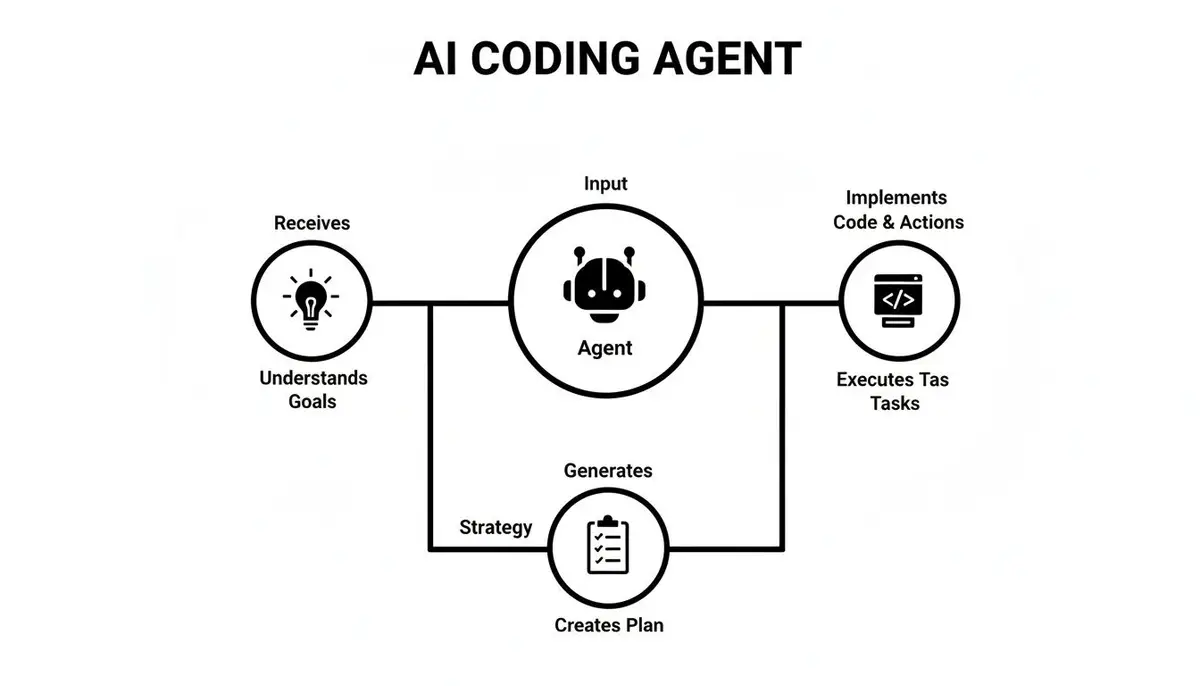
Every agent runs the same loop.
Understand. The agent reads your request and the code around it. It searches the repository, opens the files that matter and reads error output, a failing test or an issue you point it to. The more of that you name up front (file names, the error, the goal), the less it has to guess.
Plan. It turns the goal into ordered steps. “Refactor this module” becomes: read the file, find the duplicated logic, extract a helper, replace the copies, run the tests. A good plan is what lets the agent recover when a step fails instead of piling changes on a broken one.
Act. It edits files, runs commands such as npm install or the test suite, reads the result and goes back to planning if something broke. The loop ends when the checks pass or when it needs a decision from you.
Three tasks to hand an agent
A feature from one structured prompt
Say you need a user profile page: an API route, a database query and a React component. Don’t ask for “a profile page”. Give the steps:
“Add a user profile feature. Create an Express route in
/routes/user.js:GET /api/users/:idreturnsname,biofrom the MongoDBuserscollection. Then create/components/UserProfile.js, which fetches that route and renders the three fields. Add a test for the route and run it.”
The agent scaffolds the files, writes the route and the component, and runs the test. You review the diff and handle the parts that need judgment. For prompts that work across tools, see how to code with ChatGPT, Claude, Gemini and Copilot.
A bug, starting from a failing test
A failing test is the best bug report you can give an agent, because the agent can run it again after every change:
“The test in
cart.test.jsfails withTypeError: Cannot read properties of null (reading 'price'). It checks that the cart total is correct. Find the root cause incart.js, fix it, and run the test until it passes. Don’t change the test.”
The agent reads both files, finds where an item without a price reaches the total, fixes it and reruns the test. More on this workflow in our guide to debugging with AI.
A legacy module to clean up
Old modules with unclear names and no comments are good agent work, as long as tests guard them:
“Refactor
lib/utils.js: rename functions to camelCase and update every caller, add JSDoc to each function, merge duplicated logic into one helper. Run the test suite after each step.”
Pair programming with an agent: it drives, you navigate
In classic pair programming the driver types and the navigator reviews and thinks about the design. Early AI tools were pitched as the navigator. Agents flipped that: the agent drives, writing and editing code when asked, and you navigate.
Navigating means:
- Setting the direction. Agree on the plan before it writes code. Most agents have a plan mode, or you can ask: “explain your plan first and wait.”
- Reviewing each step. Read the diff the way you would a colleague’s. Ask why it chose an approach before you accept it.
- Asking for tests with the code. Have it cover the expected path, edge cases such as null input or an empty list, and the error paths, then check that the tests assert something meaningful.
- Using it to learn the code. New team members can ask the agent to explain a confusing function or trace where a value comes from, instead of interrupting a senior engineer for each question.
Treat what it writes as a first draft. Understand why the code works, run it through your linters and tests, and step through security-sensitive or business-critical logic yourself.
Prompting an agent
The biggest factor in what you get back is the prompt. A vague request gets generic code; a specific one reads like a good ticket.
A simple checklist is role, context, action:
- Role: what kind of engineer it should act as, for example “a backend developer focused on API security.”
- Context: file names, the error, the goal.
- Action: one direct instruction, such as “write middleware that validates the JWT in the
Authorizationheader and returns 401 when it is missing or expired.”
For anything bigger than one function, break the work into numbered steps and review after each. Ask for the plan before the code: “Before you write anything, list which functions in ApiService.js you will change to async/await and why.” Catching a wrong plan costs a minute; catching it in the diff costs much more. Our guide to prompt engineering best practices goes further.
What agents do on our team
We ask our agents to write a short Session Analytics block on every pull request they open, in our two repositories at Winding Labs, a small team. From August 12 to October 4, 2026, 866 merged pull requests carried the block:
- Claude Code wrote 95% of them (822); Codex wrote 31.
- The median pull request went from opened to merged in 37 minutes.
- Coding was 43% of the agents’ session minutes, local testing 29% and planning 21%, by the agents’ own estimates.
That is one small team, not an industry sample, and the minutes are self-reported. The full write-up is What 866 agent-written pull requests show.
One engineer’s laptop adds detail on how a heavy user runs Claude Code. Over 318 sessions from September 4 to October 3, 2026, 53% of sessions launched subagents, and usage-limit notices appeared on 16 of 29 active days. That is one person, not a benchmark, but it shows that heavy agent use means parallel work and running into plan limits.
Measuring an agent’s impact on a team
Lines of code generated is the wrong measure: an agent can write a thousand lines in a minute that get thrown away in the next pull request. Measure what ships.
- Merged pull requests and time to merge. Did the work an agent started reach the main branch, and how fast?
- Review rounds. How many rounds of feedback does an agent’s pull request need before it merges?
- Rework. How much agent-written code is rewritten or reverted soon after it merges?
- Which agents and models. Who uses which tools, so you can compare results on your own codebase rather than a public benchmark. On ours, PR size predicted review findings far better than the model did: see the best model for coding.
Our guide to developer productivity metrics covers what to track and what to avoid.
Risks and how to manage them

The main risk isn’t code that fails. It’s code that works but is subtly wrong, slow under load, or ignores the patterns your team agreed on. The developer who merges it is responsible for it, so review agent code like a new hire’s first pull request: carefully, and with the tests in front of you.
| Risk | What goes wrong | What to do |
|---|---|---|
| Code quality | Code that works but ignores your architecture or duplicates helpers | Review every agent pull request. Put conventions in the project instructions file and enforce them with linters. |
| Security | Insecure patterns or leaked credentials | Run static analysis and secret scanning in CI. Keep secrets out of the files and prompts an agent sees. |
| Over-reliance | Engineers merge code they don’t understand | Ask the agent to explain its changes. Don’t merge what you can’t explain. |
| Data and IP | Proprietary code sent to a model under the wrong terms | Use business or enterprise plans whose terms exclude your code from training, and read them. |
| Testing gaps | Code that handles the happy path only | Write the failing test first, then ask the agent to make it pass. |
Frequently asked questions
How is an AI coding agent different from autocomplete?
Autocomplete suggests the next line while you type, and you stay in control of every keystroke. An agent takes a whole task, edits several files, runs commands and tests, and iterates until the task is done. Most tools now offer both: GitHub Copilot, for example, has inline suggestions and an agent mode.
Which AI coding agent should I use?
Start with the one that fits where your team works. Claude Code and Codex suit teams that live in the terminal or want the same agent in several editors; Cursor’s agent suits teams that want an AI-first editor; Copilot fits teams already paying for it on GitHub. Try two on the same real tasks for a week and compare the merged pull requests.
What is the best way to start using AI coding agents on a team?
Start with a small pilot on work that is a known time sink, such as tests for new endpoints or a framework migration. Give a few engineers the tools, add a project instructions file to the repository, and track which agent work merges. Expand from what works.
Is my code kept private when I use a coding agent?
It depends on the plan. Business and enterprise plans from the major vendors generally exclude your code from model training by default; on individual plans, training settings may be on until you turn them off. Read the vendor’s data terms before an agent touches a proprietary codebase.
Will AI coding agents replace software developers?
No. Agents take on repetitive work like boilerplate, test scaffolding and mechanical refactors. Engineers still decide what to build, design the system and review every change. The job shifts from typing code to directing and checking it.
Zest records each engineer’s coding-agent sessions (Claude Code, Codex, Cursor, Copilot Chat) and links them to the pull requests they led to.